


A new storefront,
built around your brand.
- You’re ready for a complete Shopify theme.
- You want to edit your storefront in Shopify.
- Brand, product and offer layouts all matter to you.
 EComposer
EComposer lets merchants build pages and sections with a visual editor alongside an existing Shopify theme. Scale is a theme replacement with its own sections, templates and cart presentation.
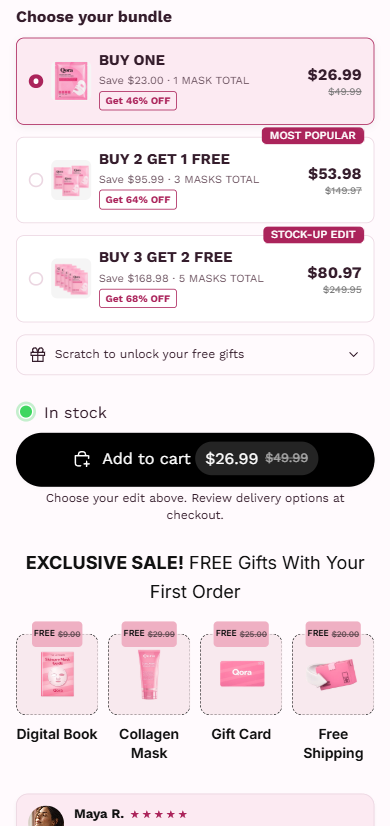
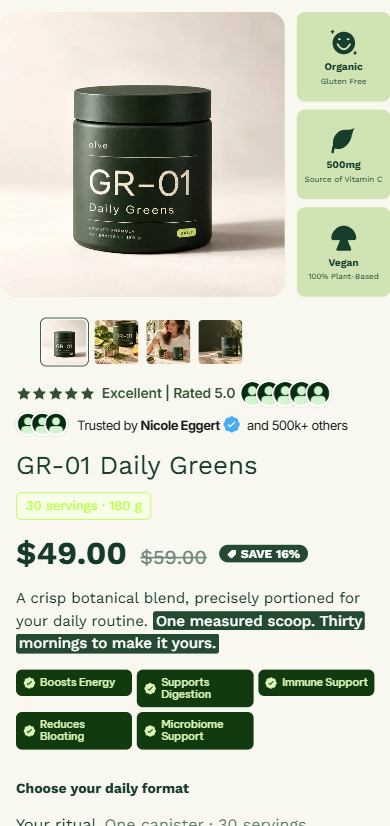
Explore QORA and olve to see the theme with real product content, configured offers and two distinct brand identities.
Different tools can be the right choice for different stores. Here’s what changes in your day-to-day workflow.
| What matters | Scale Complete theme | EComposer |
|---|---|---|
| What you’re buying | A complete Shopify theme with templates, sections and merchandising controls. | Pages and sections alongside a theme |
| Where you edit | Shopify’s native theme editor. | EComposer visual editor |
| Storefront direction | Coordinated brand presentation, detailed product pages and configurable offers. | Visual pages, section building and a library of layouts. |
| Pricing model | One-time theme purchase. See current pricing ↗ | Free and paid plans; see vendor pricing. |
| A strong fit when | You want a new storefront foundation and prefer a native theme workflow. | You want to extend your current theme with individually designed pages and sections. |
| Before you decide | Explore QORA and olve, then match the layouts and controls to your own products. | A builder can extend an existing store without a full theme migration. Scale makes more sense when you also want to change the underlying storefront. |
Shopify plans and third-party services are separate. Features depend on setup, edition and plan. This is a workflow comparison, not a benchmark of speed or revenue.
You want to extend your current theme with individually designed pages and sections.
A builder can extend an existing store without a full theme migration. Scale makes more sense when you also want to change the underlying storefront.
Explore EComposer’s official detailsA few things to check before choosing a storefront tool.
Scale is a complete Shopify theme. EComposer provides pages and sections alongside a theme. The table above compares the scope and editing workflow so you can decide whether you need a new theme or a different kind of tool.
No. Scale includes storefront layouts and merchandising features, but services such as subscription billing, verified review collection, email marketing and advanced analytics may still need their own providers. Check your required integrations before switching.
Shopify stores products, customers and orders separately from your theme. Theme settings, section layouts, custom code and app integrations need to be configured and checked in the new theme. Preview the full buying journey before publishing.
That depends on the pages you build, your media, apps and configuration. We do not claim a universal speed advantage over EComposer. Test representative mobile pages with the same content and integrations.
Yes. Explore the QORA and olve demos to see two different brand directions. Demo content illustrates the design; your store’s content and settings will determine the final result.
Scale publishes this comparison using its own theme implementation and EComposer’s official information. Vendor details were reviewed on October 28, 2026. Plans and features can change; confirm current terms with the vendor.
Explore the layouts. Check the product details.
Choose the setup that works for your brand.